How to find clothes from a screenshot
Start with one garment, keep its distinctive details visible, and check any result against the original image. A similar silhouette is a useful lead; it is not proof that you have found the exact product.
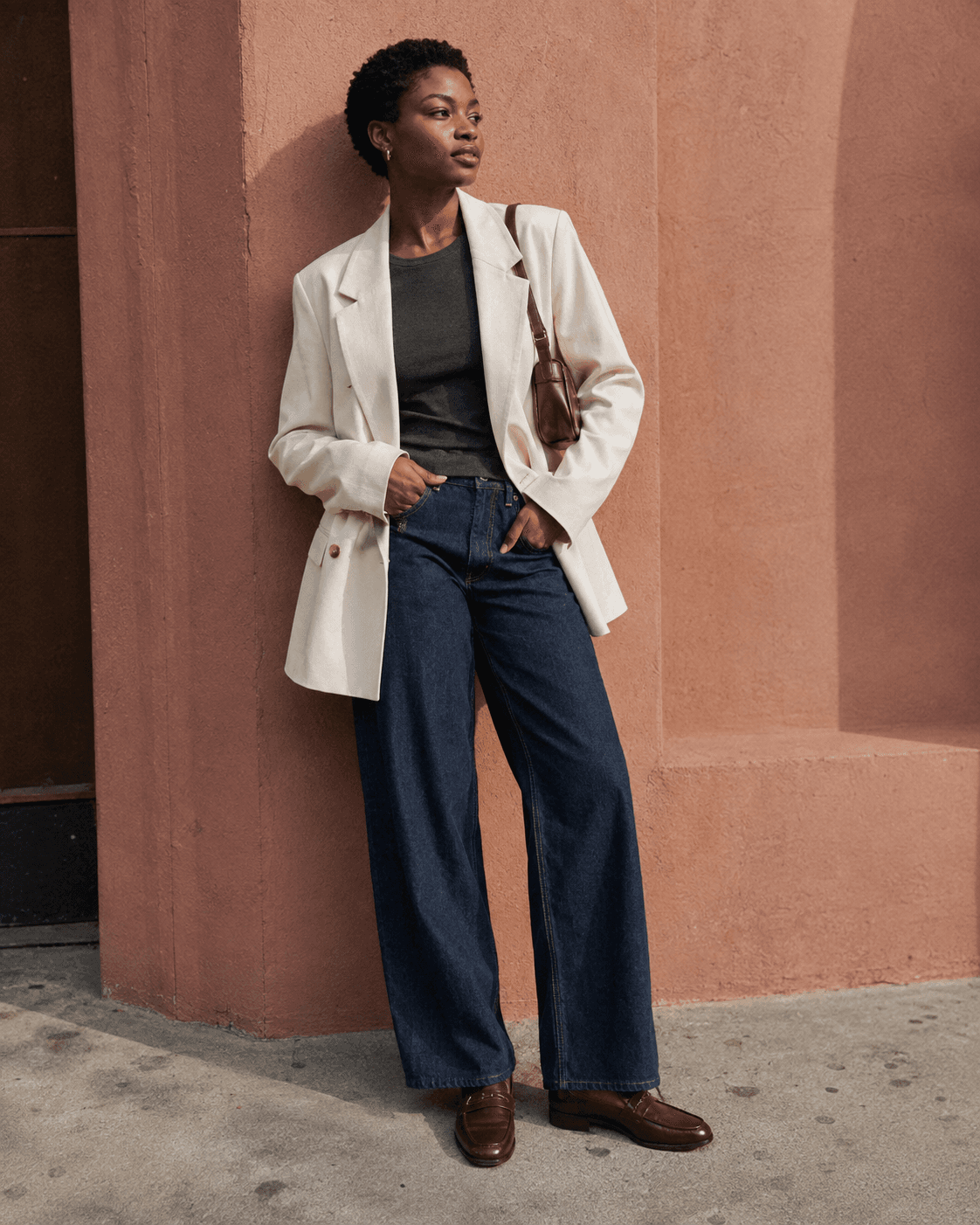
Start with the original post
Before searching, check the caption, tagged accounts and any outfit credits. A named brand or product can give you a much more direct route than a visual guess. Save the post link alongside your screenshot so you can return to those details.
If the look comes from a video, choose a frame where the person is still and the piece is unobstructed. Keep the original screenshot as well as any edited copy.
Choose one piece
A full outfit contains several possible searches. Decide whether you want the blazer, jeans, bag or shoes, then frame that item with its edges visible. Avoid cutting off the collar, hem or handles just to make a tighter crop.
In our illustrated cream-blazer look, the jacket and dark jeans are separate starting points. For the blazer, useful clues are its light colour, loose shape, lapels and single visible front button. Those details make a more focused query than ‘nice outfit’. The illustration is campaign imagery, not a verified product listing.
Search visually, then refine with words
Google Lens supports searching with an uploaded image. Select the part of the image you want to investigate, then compare the results. You can also use a descriptive text search, adding the garment type, colour and one or two unusual details.
Try ‘cream oversized single-button blazer’ rather than a long list of uncertain fabric or brand guesses. A photograph cannot reliably tell you a material’s composition, so verify that on the product page.
Check before calling it a match
Compare closures, seams, pockets, neckline and proportions. Two jackets can share a colour and still be different designs. Open the retailer’s page and check the actual product name, photographs, size availability and price.
If you cannot verify the original, keep a promising alternative as a similar find. That can still be the right choice if what you liked was the shape or styling. Save the retailer link so your search does not end with another unidentified screenshot.